> For the complete documentation index, see [llms.txt](https://docs.probable.markets/llms.txt). Markdown versions of documentation pages are available by appending `.md` to page URLs; this page is available as [Markdown](https://docs.probable.markets/trade-on-probable/tracking-positions-and-pnl.md).
# Tracking Positions & PnL
After you have placed an order/s you can track their status on portfolio page or respective event detail page.
#### Event detail page
* You can view your existing positions on event detail page by expanding respective outcome
* The position table will display
* Outcome - Direction of the bet "Yes" or "No"
* Qty - Total number of shares bought
* Avg. - Average price of the trade
* Value - Position value based on current market price
* Return - PnL of the position
#### Portfolio Page
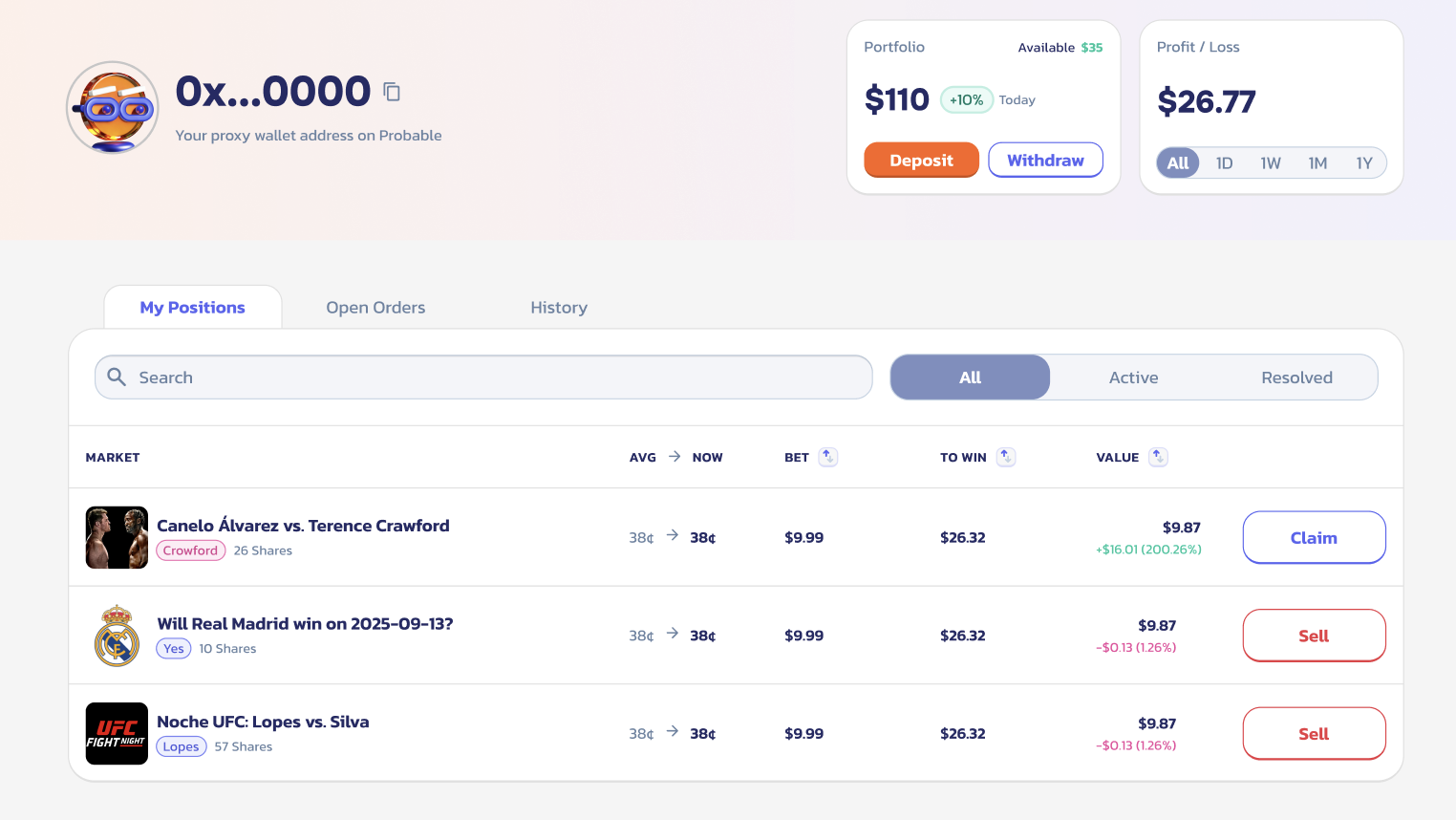
Portfolio page shows all positions and open orders across markets.
You can open the portfolio page by clicking "Portfolio" on the nav bar or through the menu under wallet address.
* **Portfolio Balance:** This shows total balance in USDT summing current value of active positions, funds in open orders and any cash balance.
* **My Positions:** This section shows all markets where you hold shares. For each market, you will see the outcome you are holding, total bet amount, average buy price, the current market price, and unrealized PnL.
* **Open Orders:** Lists any limit orders waiting to fill. It will show details of the order such as outcome, limit price, quantity filled, total bet amount. You can cancel open orders directly on this page.
* **History:** You can review all past activity in your account including deposits / withdrawals, trades, settlements, etc.