> For the complete documentation index, see [llms.txt](https://docs.probable.markets/llms.txt). Markdown versions of documentation pages are available by appending `.md` to page URLs; this page is available as [Markdown](https://docs.probable.markets/trade-on-probable/how-to-place-orders.md).
# How to Place Orders?
{% hint style="success" %}
**Multiple order types such as “Market” & “Limit” orders are supported.**
{% endhint %}
#### **Market Orders**
A market order means you want to buy or sell immediately at the best available price. If you buy / sell, best asks / bids from orderbook are matched to fulfill your order. In fast-moving markets, that price may shift by the time your order hits, especially for large orders. You might incur large slippage (avg. trade price much worse than last traded price) or encounter insufficient liquidity (especially for large orders), in either cases UI will prompt you with a warning.
#### **How to Place Market Orders?**
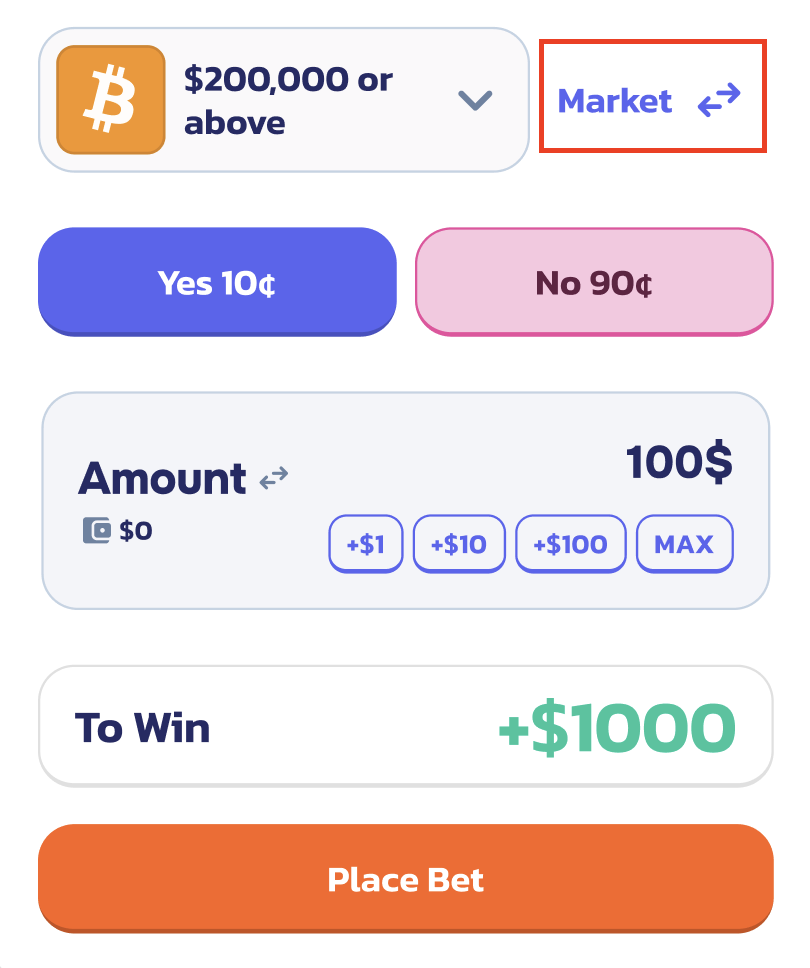
1. Click on any event on the [listing page](https://probable.markets/) to display the detail page, you will find the trading panel on top right of the page
2. Order type is represented on top right in the trading panel by "Market" or "Limit" and can be switched using 🔁 button
3. Select the direction you want to bet "Yes" or "No"
4. Enter the amount in $ or switch to display in number of shares by clicking 🔁
5. Click on "Place Bet" to complete your market order
#### Limit Orders
A limit order lets you set a specific price at which you’re willing to buy or sell, and the order will only execute if the market reaches that price. For example, suppose in a market the Yes shares are currently 97¢. You only want to buy Yes if the price drops to 90¢. You can place a limit buy order at 90¢. This order will wait in the system and will only execute if someone is willing to sell at 90¢ (or lower) which matches your bid. If the price never drops to 90¢, your order will remain open (you can cancel it anytime).
**Why use limit orders?** They are useful if you think the current price is not ideal and you expect the market to move to a better price level, or if you want to act as a market maker by providing liquidity at a certain price.
**Partial Fills:** Limit orders can fill gradually. If you wanted to buy 100 shares at 90¢ and someone sells only 50 shares to you at that price, you’ll get 50 filled and the remaining 50 stay open until more sellers come in.
#### How to Place Limit Orders?
1. On the trading panel click 🔁 to switch to Limit orders
2. Select the direction you want to bet "Yes" or "No"
3. Enter the desired limit price for your order
4. Enter Amount in $ or switch to display in number of shares
5. Select Expiration; GTC (Good Til Canceled), IOC (Immediate or Canceled) modes are supported expiry modes
1. GTC - Your order will remain in orderbook unless cancelled by you
2. IOC - Your order will be executed immediately if matched. It could result in complete or partial fill, the unfilled part of the order will be cancelled
6. Click on "Place Bet" to complete your limit order